
Features
Kinetic Notes inherits its interaction model from Notational Velocity and rebuilds everything underneath it. This is what the application actually does — nothing here is planned or aspirational.
- Search and create in one field
- A keyboard-first interface with no buttons
- Instantaneous saves with no effort
- Optional line numbers and a live word count
- Plain-file storage
- Optional AES-256 encryption
- A universal native binary for Apple Silicon and Intel
01
Capture
The original insight of Notational Velocity was that the fastest way to write something down is to stop deciding where it goes. Kinetic Notes keeps that intact.
Search and create in one field
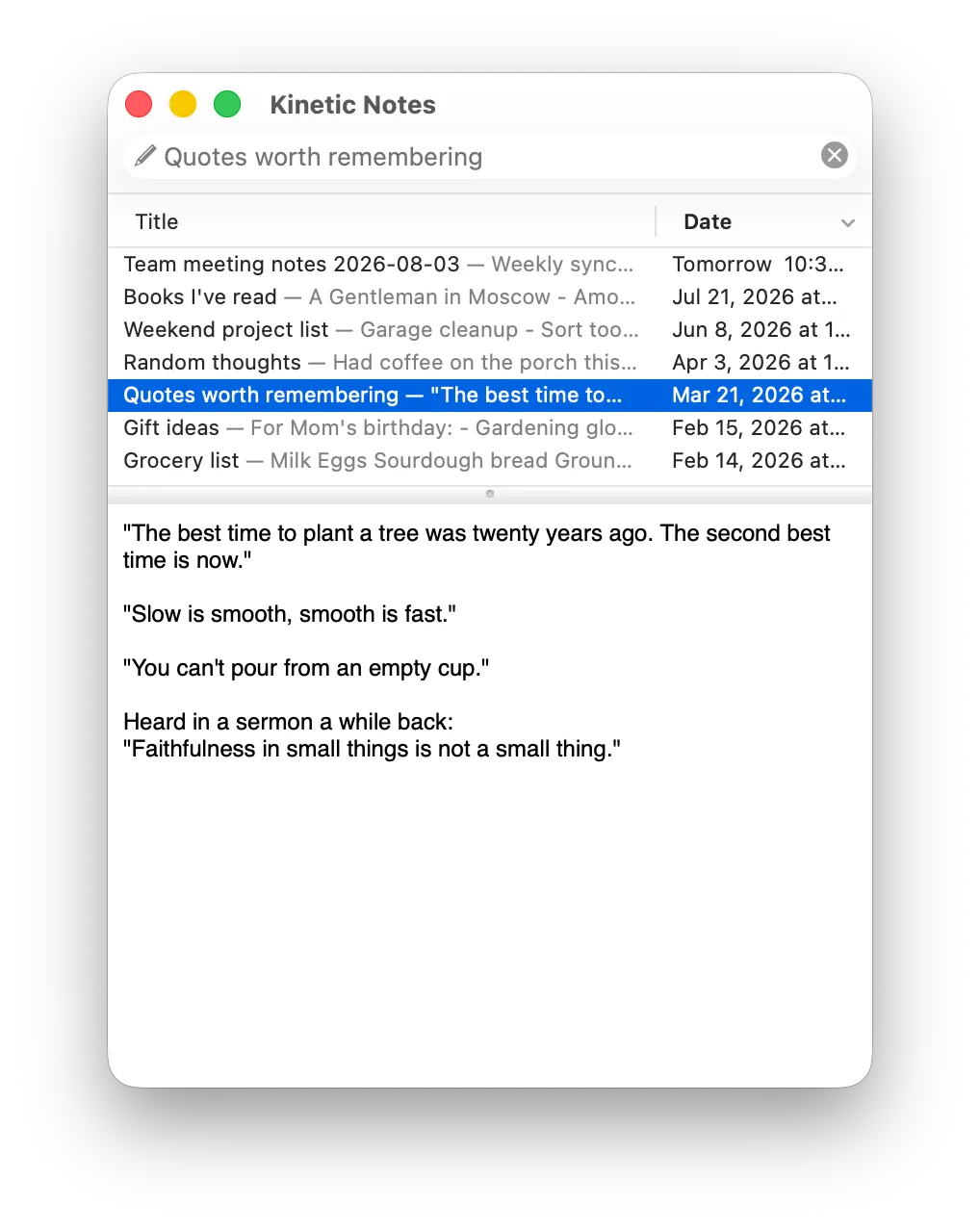
The field at the top is both the search box and the title box. Typing filters your notes; pressing Return opens the match or creates a note titled with what you typed. Nothing to click first.
Incremental search across everything
Every keystroke searches the full text of every note, not just titles. Results appear as you type, so finding a note and remembering it exists become the same action.
Title auto-completion
When what you have typed matches the beginning of an existing title, that note is selected automatically — so returning to yesterday’s note takes three or four characters.
Paste straight into a new note
Command-Shift-V turns whatever is on the clipboard into a new note. Useful for the thing you were about to lose when you switched windows.
Open from anywhere
A global hotkey brings the window forward from whatever you are doing, which is the difference between capturing a thought and intending to.
02
Write
Once a note is open, the editor stays plain text and stays quiet. What it adds is there when you ask for it and invisible when you do not.
Nothing to save
Edits are written to disk as you make them. No Command-S, no unsaved-changes dialog, and no gap between what is on screen and what is on disk.
Line numbers
Turn on Show line numbers in Settings → Editing for a gutter beside the note, with the line under the cursor highlighted. The numbers are drawn beside the text, never part of it — they are not copied, printed, or exported, and a wrapped line is numbered once.
Word, character, and paragraph counts
Turn on Show word count for a bar along the bottom of the window. Click it to count characters with or without spaces, words, lines, or paragraphs instead — the choice is remembered.
03
Organise
The app works best with one fact per note, spread across thousands of small searchable notes rather than a filing system you have to maintain.
Tags, when you want them
Tag a note with Command-Shift-T. Tags are searchable alongside content, so they are a way to find things rather than a hierarchy to keep tidy.
Bookmarks for the notes you live in
Some notes get opened every day. Bookmark them with Command-Shift-D and jump straight back.
Links that just work
URLs in your notes are detected as you write, using the system’s own data detectors, and Command-Return opens the one under the cursor.
Export what you need
Command-E exports the selected notes to other formats. Nothing is trapped: you can leave whenever you like and take your text with you.
04
Own
You choose how your notes are stored — one encrypted database, or individual files you can open in any other editor. That choice is yours to make and to reverse.
A single encrypted database
Store everything in one file, compressed and optionally encrypted. This is the only format that supports encryption, because individual files on disk cannot be protected the same way.
Or plain files in a folder
Store notes as individual plain text, RTF, HTML, or Word files instead. They are ordinary files with ordinary names, readable by any other app — and syncable by any service that syncs a folder.
Your notes stay yours
No account, no telemetry, no server component. Beyond an update check you can decline, the application talks to your disk and nothing else.
Open source, GPL v3
The same licence as Notational Velocity. Read the code, build it yourself, fork it — and verify every claim on this page against the source.
05
Modern
Everything above is inherited. This is what a decade and a half of neglect made necessary, and what has been rebuilt since.
Universal and native
arm64 and x86_64 in one binary, both native. Notational Velocity shipped no Apple Silicon slice and ran only under Rosetta 2, which is being withdrawn after macOS 26 Tahoe.
No third-party dependencies
OpenSSL was replaced with Apple’s CommonCrypto and AutoHyperlinks with NSDataDetector. Nothing is bundled, nothing comes from Homebrew, and only system frameworks are linked.
Dark Mode
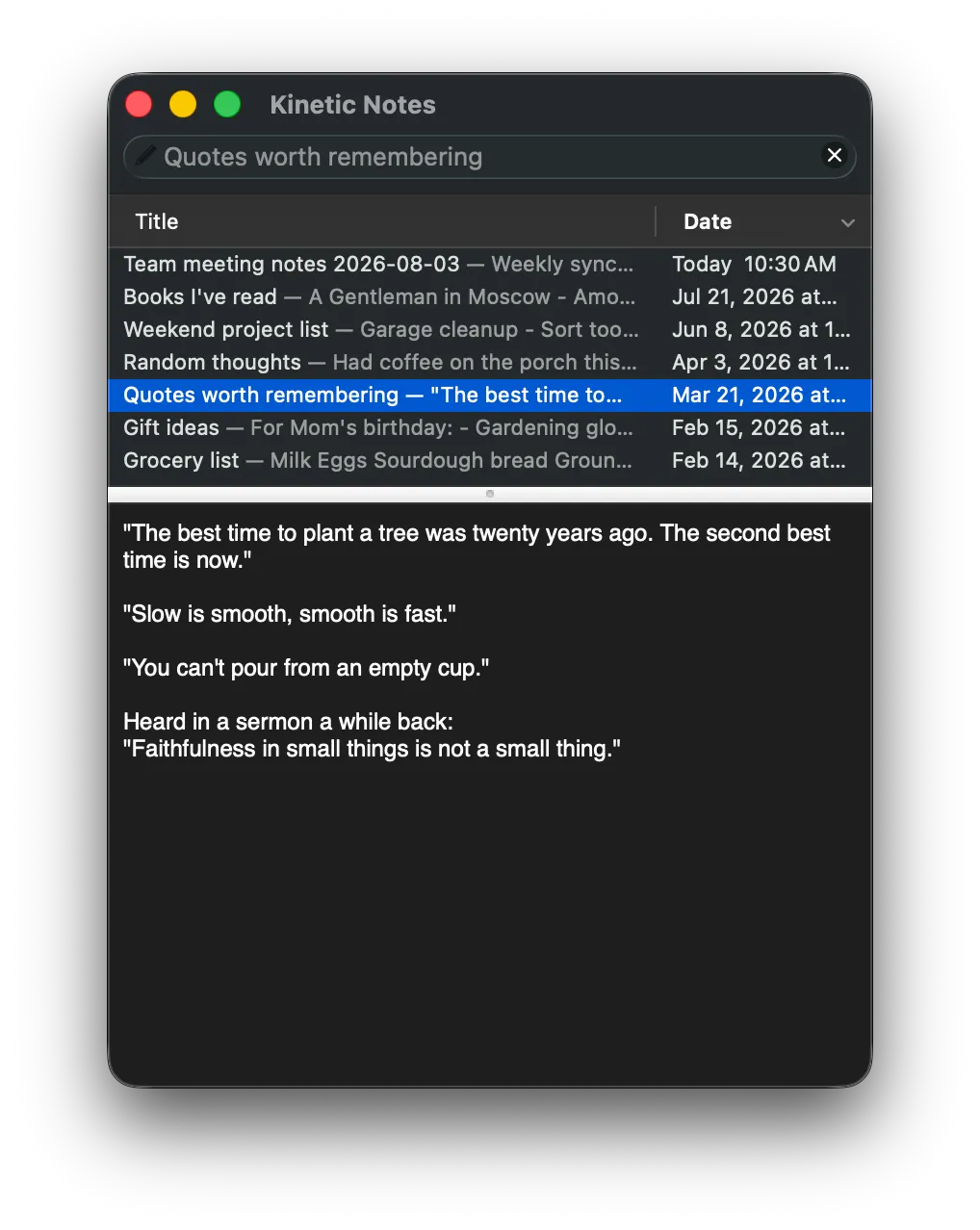
The interface follows your system appearance, including list grid lines and column headers.
Modern file handling
The Carbon-era storage layer is gone. Notes are addressed by path, saved atomically through scratch files so a write cannot land half-finished, and folders are scanned with getattrlistbulk.
Seven languages
English, Spanish, French, German, Italian, Portuguese, and Simplified Chinese — the translations contributed to Notational Velocity, carried forward and rebranded.
See it for yourself.
A single universal download, and no account to create.
Free and open source.Support the projectif it is useful to you.