
Security
Kinetic Notes can encrypt your notes on your own Mac, with no service in the middle and no account anywhere. Here is exactly what that protects, how the keys are derived, and — just as important — what it does not defend against.
Encrypted before it reaches the disk
With encryption on, neither the data nor the metadata of any note is written to disk in clear text — not even temporarily. Everything is compressed first, then encrypted.
The write-ahead log too
The file holding changes not yet folded into the database is encrypted with keys derived from the same passphrase. Recent edits are not left in the open while older ones are protected.
Nothing leaves your Mac
No account, no sync service, no telemetry, no crash reporting. The application asks on its second launch whether it may check for updates; decline and it never touches the network. That check is the only request it can make.
Verifiable, not just claimed
Every statement on this page can be checked against the source, which is GPL v3 and public. That is the point of publishing it.
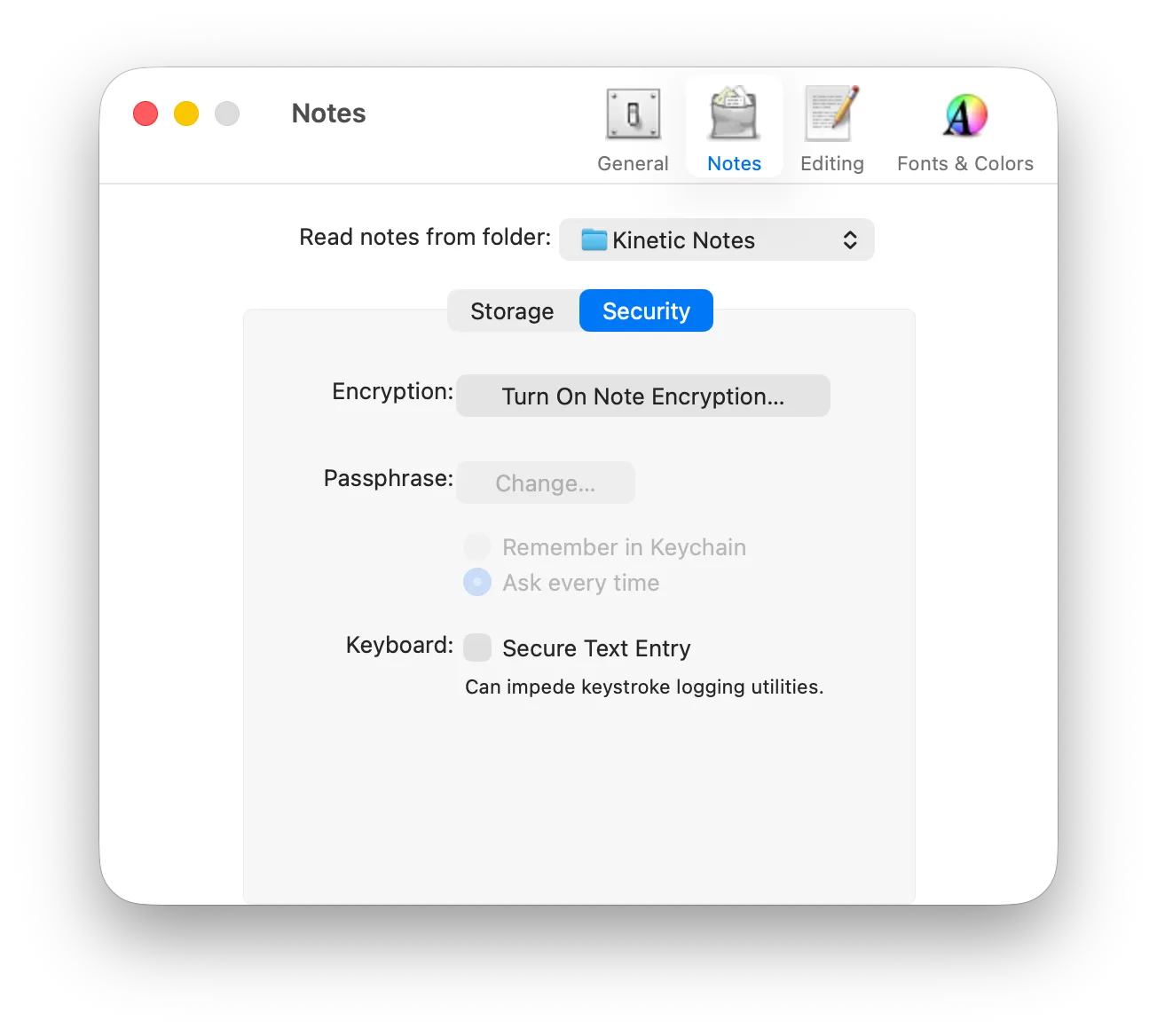
Turning it on
Encryption is optional, and off until you choose it.
Nothing is encrypted by default. That is a deliberate choice — a passphrase you cannot recover is a serious commitment, so it is yours to make knowingly.
Cryptography
AES-256, and three derived keys.
Kinetic Notes uses AES-256 in cipher-block chaining mode through Apple's CommonCrypto. Notational Velocity used OpenSSL's implementation of the same cipher; version 1.0 replaced the dependency and left the format alone, so databases encrypted by Notational Velocity still open.
- Step 1
Master key
Derived from your passphrase with PBKDF2 and a random 256-byte salt. The iteration count is not fixed — it is as many rounds as your CPU can complete inside a time budget you choose, so a slower setting directly slows any brute-force attempt.
- Step 2
Data session key
Derived from the master key with a single PBKDF2 iteration and its own random 256-byte salt. This is the key your notes are actually encrypted with.
- Step 3
Verifier key
Derived from the master key with a third salt. It exists so the application can confirm your passphrase is correct without decrypting any of your notes.
The salts and the iteration count are stored alongside the database, so it stays openable on another Mac. Key length is adjustable in the preferences, and changing your passphrase re-derives the keys rather than requiring an export and re-import.
No hidden dependencies
Check what it links against.
A notes application that encrypts your data should not be quietly loading code you did not ask for. You do not have to take that on trust — two commands prove it.
# Only /usr/lib and system frameworks should appearotool -L "/Applications/Kinetic Notes.app/Contents/MacOS/Kinetic Notes" \  | grep -v /System/Library
# Both architectures, running nativelylipo -info "/Applications/Kinetic Notes.app/Contents/MacOS/Kinetic Notes"
The second command reports x86_64 arm64. OpenSSL is gone, replaced by CommonCrypto, and AutoHyperlinks is gone, replaced by NSDataDetector. The updater came back in 1.6 — every download it fetches is checked against a signing key built into the application and discarded if that check fails, which is a stronger guarantee than downloading a build by hand and trusting it.
Being straight with you
What encryption at rest does not do.
Any security page that only lists strengths is selling something. These are the real limits, and neither is unique to Kinetic Notes — they apply to every application that decrypts your data so you can read it.
Memory can reach the disk
While your notes are open they are decrypted in memory, and memory can be written to swap. Notational Velocity's documentation recommended enabling Secure Virtual Memory, a setting macOS no longer exposes. The modern equivalent is FileVault, which encrypts the whole disk including swap. If your notes matter enough to encrypt, turn FileVault on as well.
A compromised Mac is a compromised database
Anything running as you while the database is unlocked — or anything that can read your Keychain — can read your notes. Database encryption protects a drive that is lost, stolen, sold, or backed up somewhere you do not control. It is not a defence against software already running on your machine.